Connect Packeta (Zásilkovna in Czechia) to Shopify with the Globe app. Customers pick a pickup point or Z-BOX on a map right in the cart. You print labels through the Packeta API, and parcel and cash on delivery status flow back into Shopify.
It works on every Shopify plan and with your own Packeta contract. You pay nothing extra per label or per order.
What the integration does
-
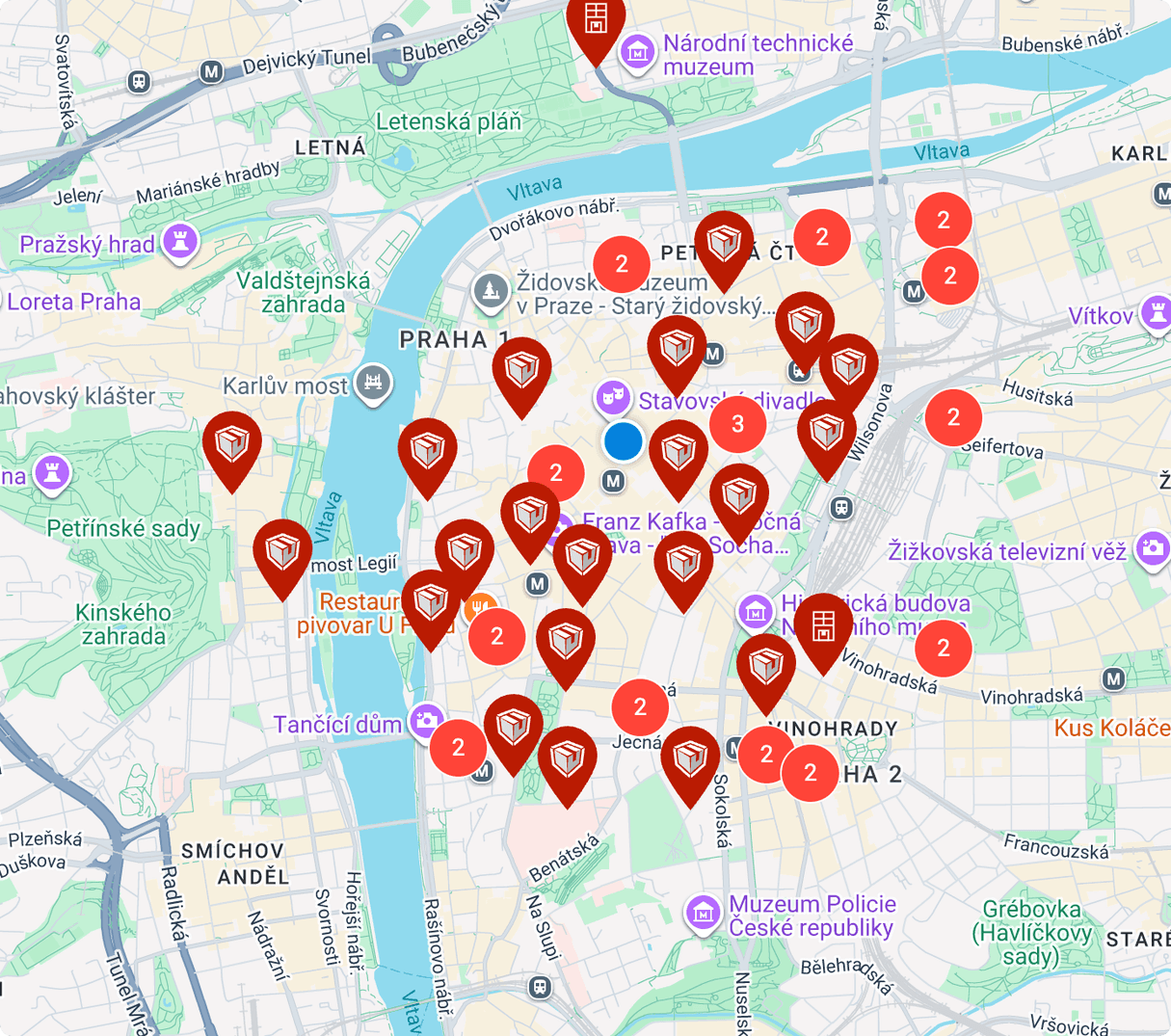
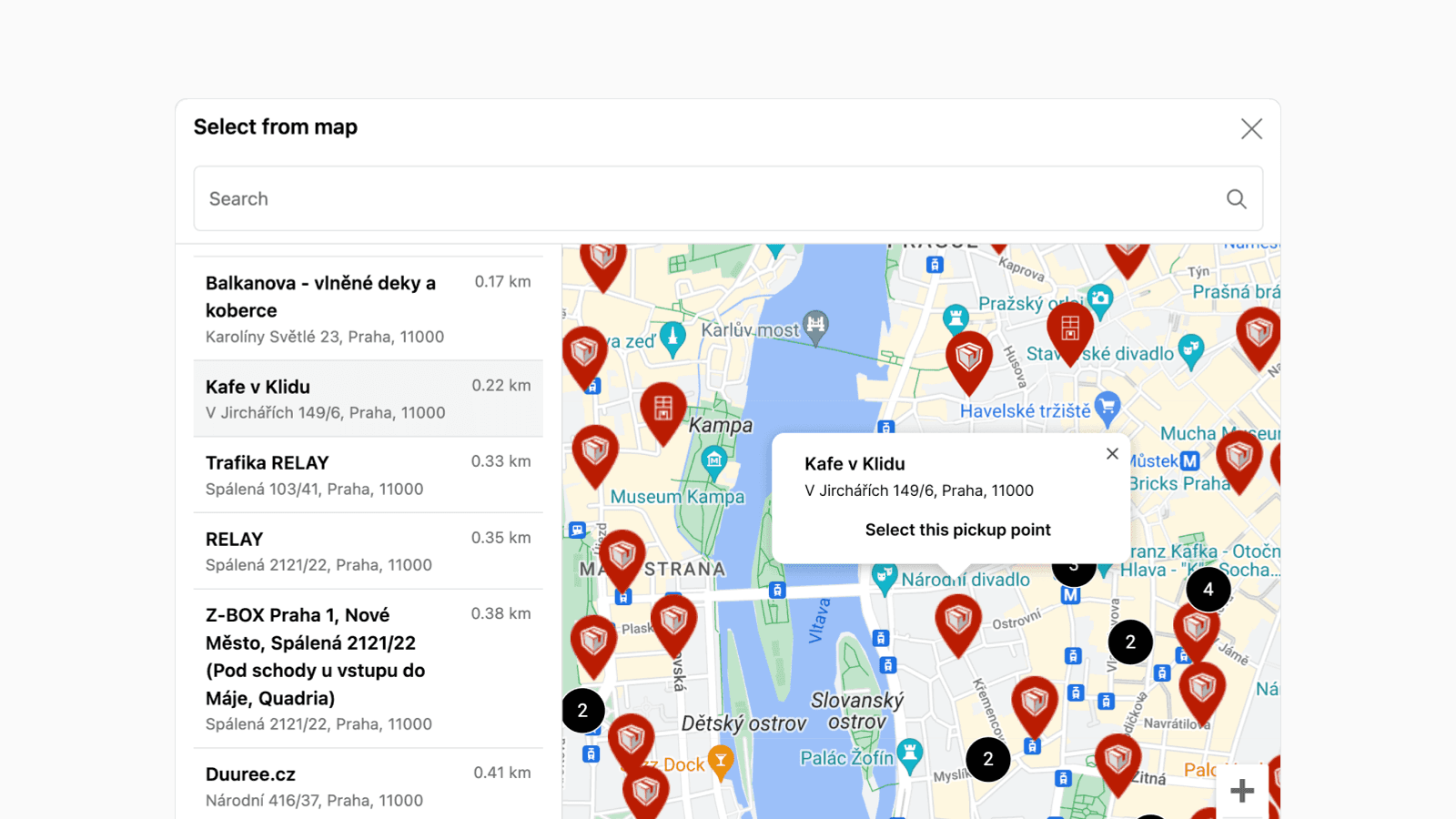
Pickup point and Z-BOX selection on a map in the cart, in the Shopify Plus checkout and after the order.
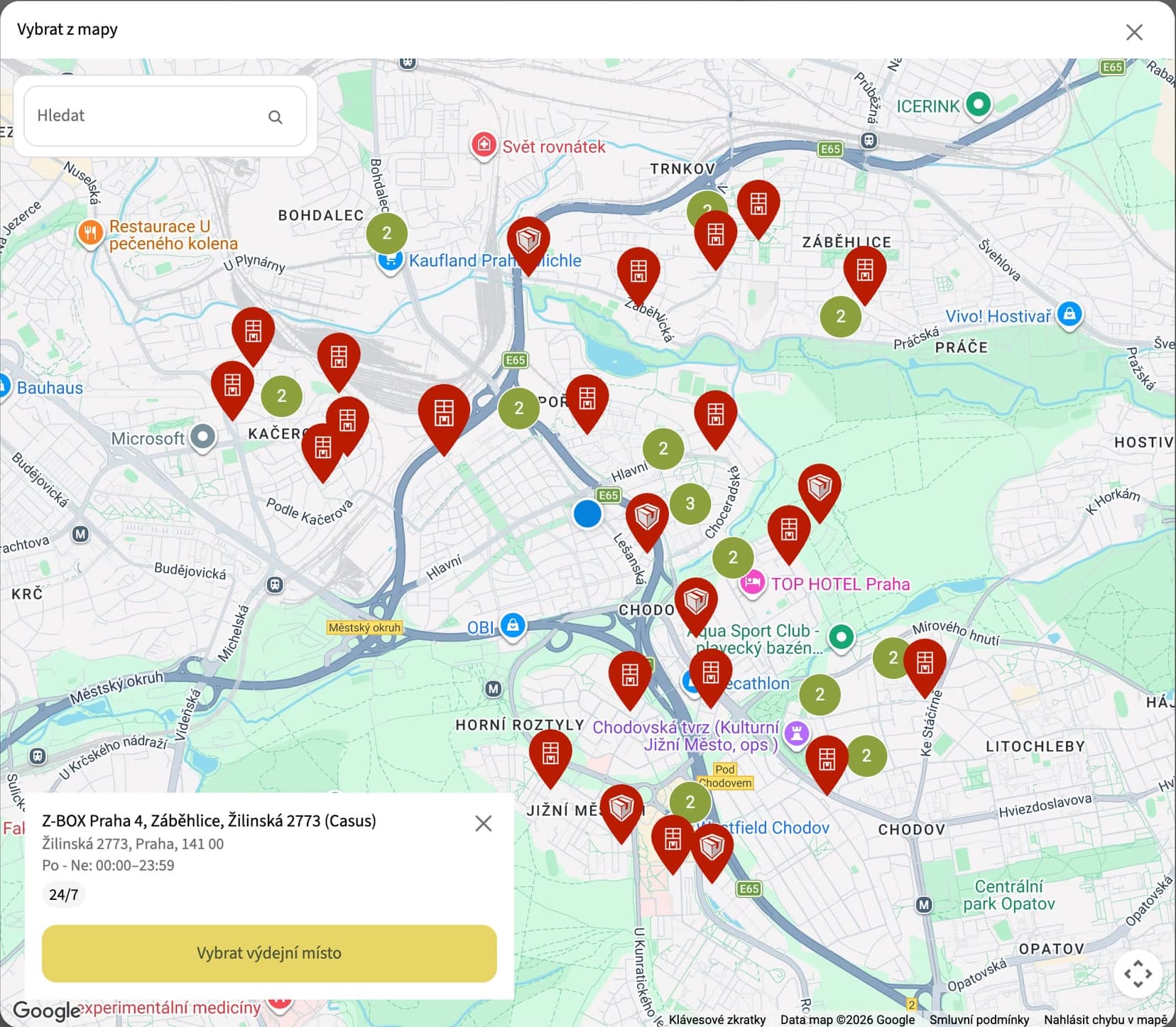
Econea: the map in the Shopify Plus checkout, a Z-BOX selected 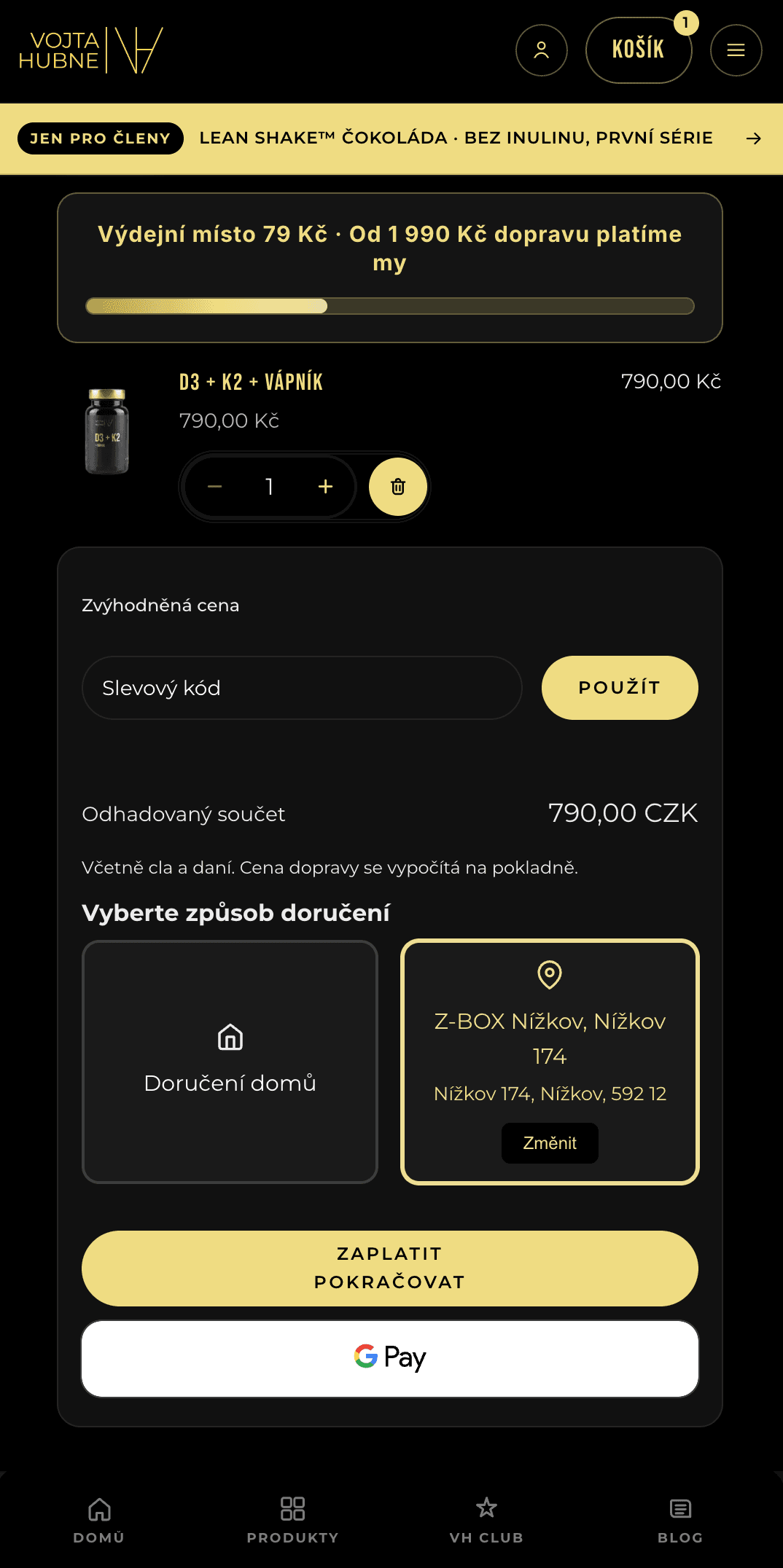
Vojta Hubne: a Z-BOX chosen in the cart 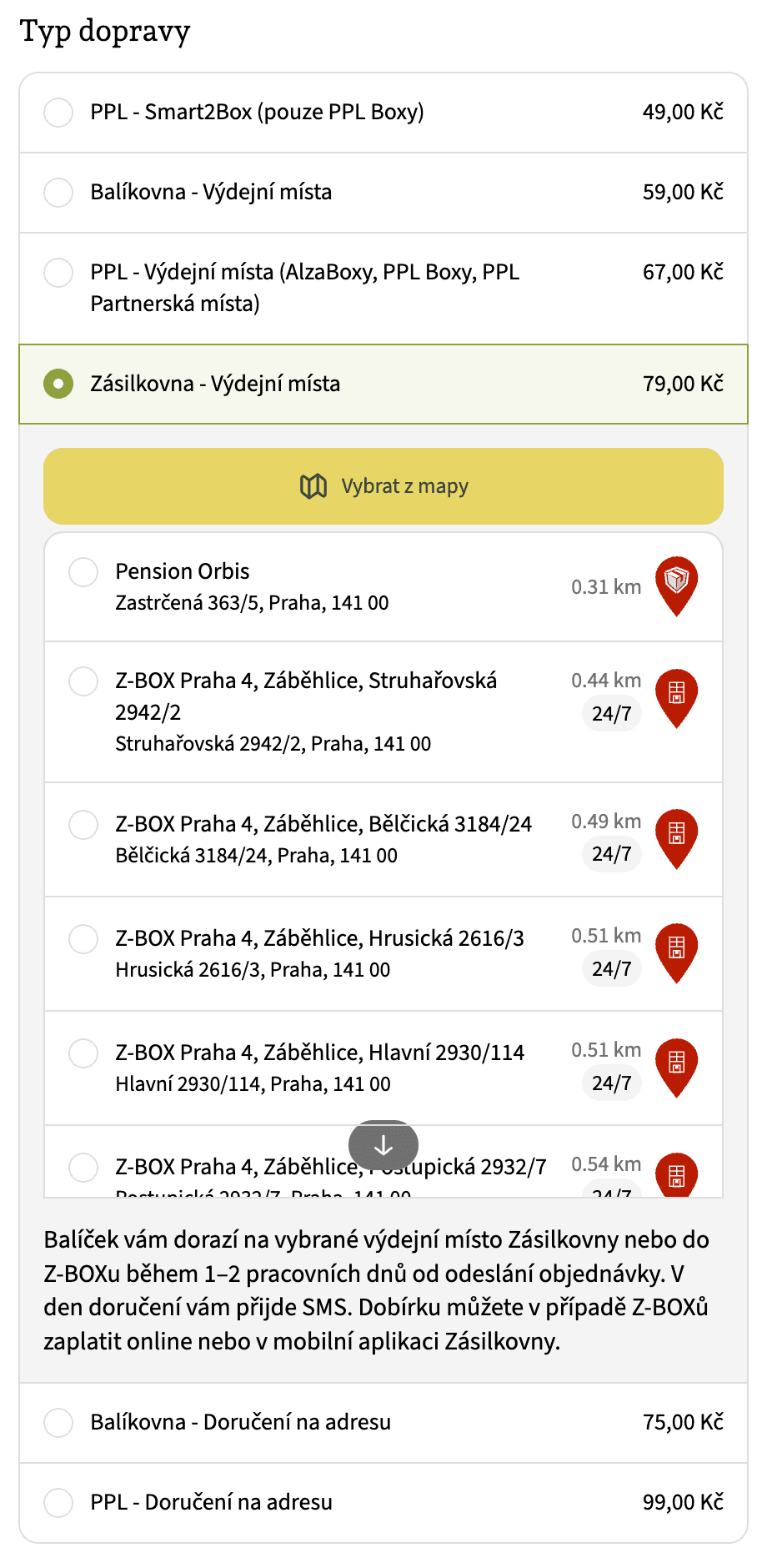
Econea: the nearest points in checkout 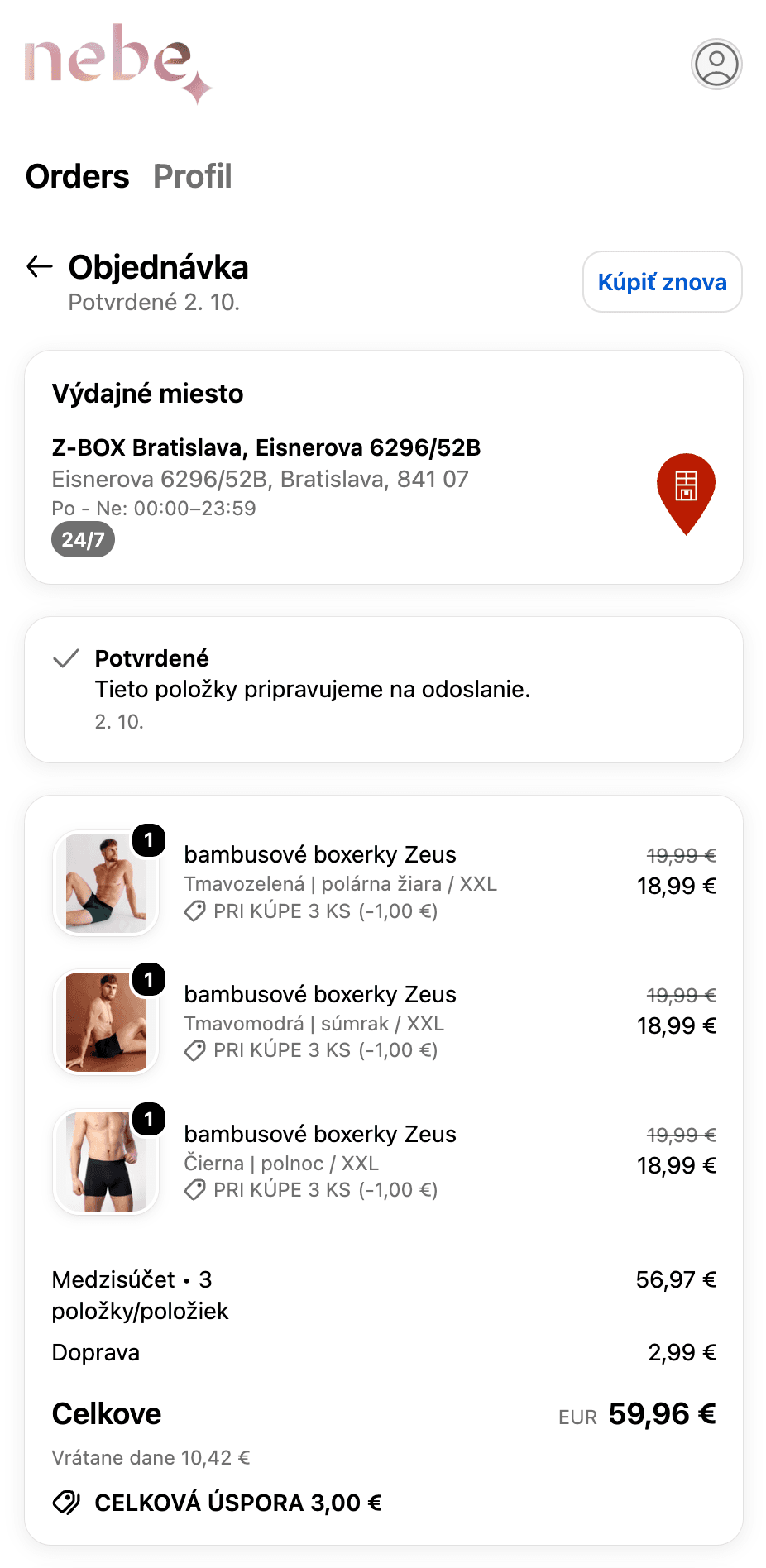
nebe: a Z-BOX chosen after the order -
Labels through the Packeta API, one at a time or in bulk from the orders list. No CSV export.
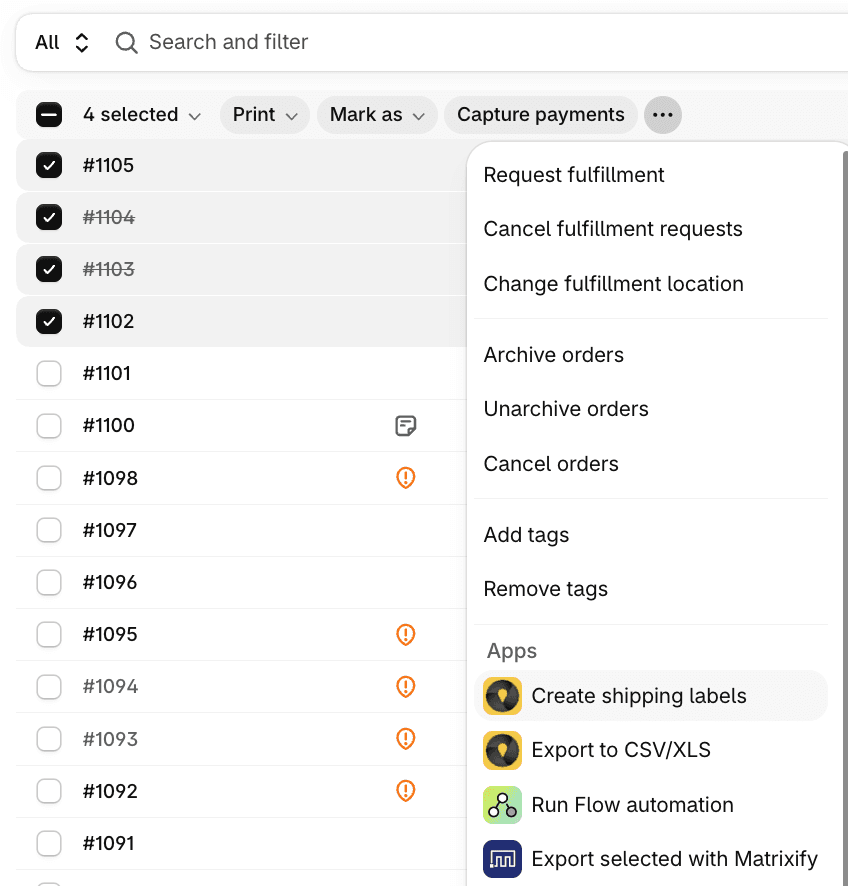
Labels for several orders at once, straight from the Shopify orders list -
Shipment tracking. The order is fulfilled, the customer gets a tracking link and the delivery status shows up in Shopify.
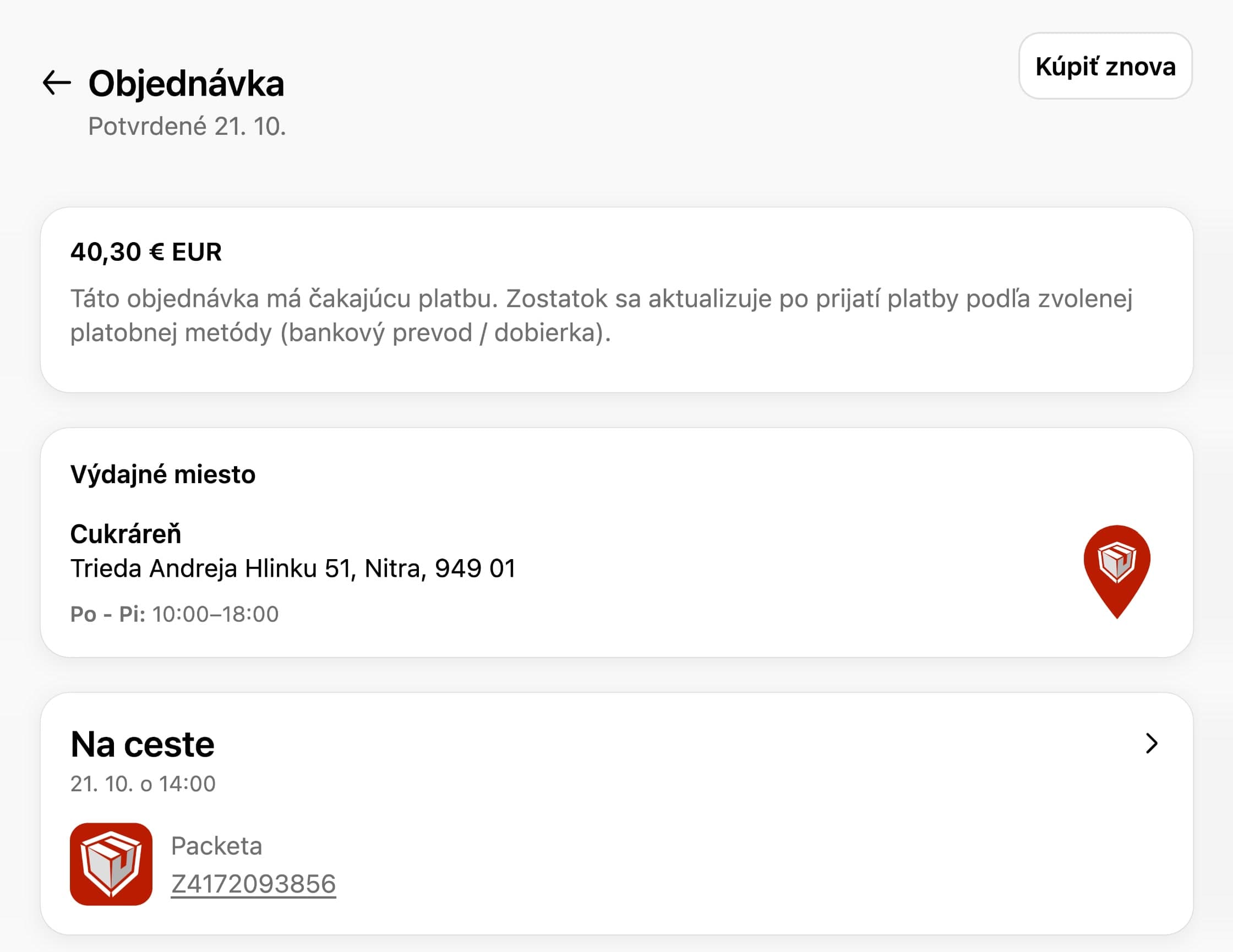
Facederma: an order in transit with its Packeta tracking number -
Cash on delivery. Once the parcel is collected, the order is marked as paid and the amount is rounded to whole crowns.
-
Returns through a Z-BOX with no label to print.
-
E-mail reminder when a customer picks no pickup point.
Everything Globe does with Packeta is on the Packeta page on the Globe site.
What else you get
- Labels at no extra cost. Globe charges nothing per label or per order. You pay for the app and for shipping under your own contract.
- No setup fee. Setup is free and comes with no commitment.
- Pick & Ship for your warehouse. A packing station with a barcode scanner. You scan the items and Globe checks what belongs in the parcel. It also shows the pickup point and the label. It is in beta for now.
- Works with your fulfillment. The pickup point goes straight to Base (BaseLinker), MetaKocka and Picqer. Mailstep and other warehouses get it through order attributes.
- Support in your language. Chat with us right in the app, in English, Czech, German and four more languages. We answer on weekdays.
Where customers pick a pickup point
Every store is on a different Shopify plan, so there are four places to pick a point. You can combine them.
- In the cart, on every plan. You turn the map widget on in the theme editor, no coding. Customers search by address or by their location and see pickup points and Z-BOXes. The map runs on OpenStreetMap, so you need no Google Maps key here. For most stores this is the main route.
- In checkout, on Shopify Plus. A map right in the checkout. It uses Google Maps, so you add your own API key to Globe.
- As shipping rates, on the Advanced or Grow plan. The nearest pickup points show up among the shipping methods, such as “0.4 km • Packeta • Z-BOX Pardubice”. On the Shopify (Grow) plan this is included with yearly billing and a paid add-on with monthly billing. Guide in the docs.
- After the order. On the thank-you page and the order status page. It is the safety net for Apple Pay, Google Pay and Shop Pay, which skip the cart. A customer who picks no point gets an e-mail reminder about 5 minutes later.
Setup step by step
- Install Globe from the Shopify App Store. The first 14 days are free.
- Add a shipping rate in Shopify, such as “Packeta, pickup point”. You set the price and free shipping in Shopify like for any other rate.
- Add Packeta as a carrier in Globe and assign this rate to it.
- Turn on point selection. You turn the cart widget on in the theme editor. On Shopify Plus you add the block to the checkout. We recommend the thank-you page block for every store.
- Connect labels. In Globe, open Shipping labels, add Packeta and paste the API key and API password from the Packeta client section.
Customers see pickup points a few minutes after install. Allow about an hour for cash on delivery and labels. The full walkthrough is in the Packeta docs.
Labels, tracking and returns
Select orders in the Shopify orders list and create the labels in bulk. The parcels show up in the Packeta client section right away. Labels go through your own account, so you pay your contract rates.
Globe then fulfills the order and the customer gets an e-mail with a tracking link. The delivery status flows back into Shopify: in transit, ready for pickup, delivered or not collected. You can filter orders in Shopify by it.
You create a return right on the order. Packeta sends the customer a code, and they hand the parcel in at a pickup point or drop it in a Z-BOX. Nothing to print. It works for orders to Czechia, Slovakia, Hungary and Romania.
Cash on delivery to a pickup point
The COD amount goes straight onto the label. When the customer collects the parcel and pays, Globe marks the order as paid in Shopify. Nothing to match by hand.
Cash is paid in whole crowns, so Globe rounds the COD amount up, for example CZK 599.99 to CZK 600. For euros it rounds to 5 cents.
Want to charge a COD fee? Shopify cannot add a fee to a payment method, so you add a second shipping rate with the fee in its price:
| Rate | Orders under CZK 1,500 | Orders from CZK 1,500 |
|---|---|---|
| Packeta | CZK 79 | CZK 0 |
| Packeta (COD) | CZK 109 | CZK 30 |
Our Payflow app then offers cash on delivery only with the COD rate. The steps are in the article on the COD fee and in the Globe docs. This works with the cart widget. It does not work with shipping rates, where each point has a single price.
What it costs
Globe costs $15 a month, or $30 on Shopify Plus. Billed yearly it is $150, or $300 on Plus. Unlimited orders, labels and carriers are included, and the first 14 days are free. Details are on the pricing page.
You pay Packeta for shipping under your own contract. Globe does not resell it or mark it up.
Other carriers on the same map
You connect PPL, DPD, GLS or Balíkovna the same way. Customers then see them all on one map in the cart, and you print labels for every carrier from one place. The whole shipping setup is in the article on connecting European carriers to Shopify. The guide for PPL is in PPL pickup points in Shopify.