
QR code payments on Shopify
Give customers who pay by bank transfer a faster way to pay: a QR code with the amount and variable symbol already filled in. Show it on the thank-you page and in order-confirmation emails, free with our Payflow app.
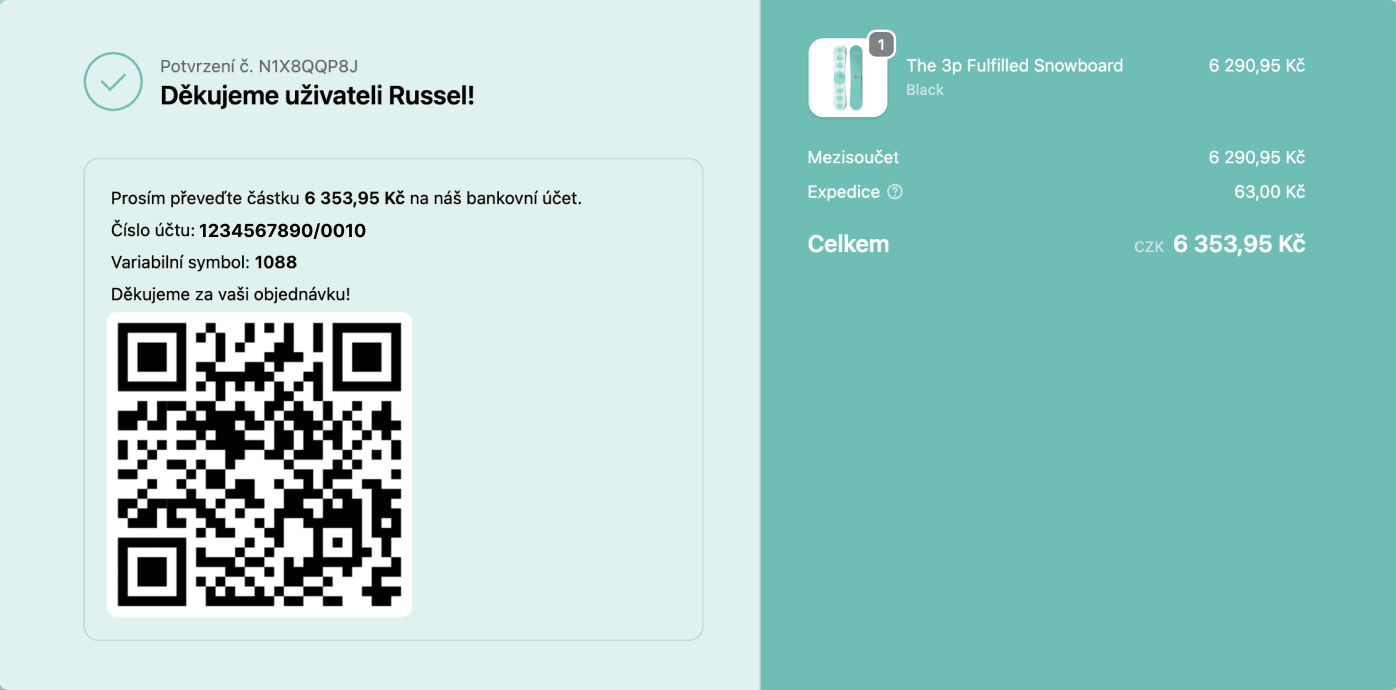
QR code on the thank-you page
As soon as an order is placed, the thank-you page shows a payment QR code with your bank account, the exact amount and the variable symbol. Customers scan it in their banking app and pay in seconds. No copying account numbers and far fewer payment mistakes.
Why add a payment QR code?
A QR code turns a bank transfer into a quick scan and confirm. Customers pay faster and make fewer mistakes, and you get paid sooner without wiring up extra apps.
Scan and pay in seconds
The QR code carries your account number, the exact amount and the variable symbol, all filled in. Customers scan it in their banking app and confirm, with nothing to type by hand.
Free to set up, no developer
Add it in minutes with the Payflow app. The thank-you page needs no code at all; the order email uses one short snippet, with a video showing exactly what to paste and where.
Built for Czech & Slovak banks
Works out of the box for Czech and Slovak accounts using the QR Platba / SPAYD standard, on both the thank-you page and order-confirmation emails.
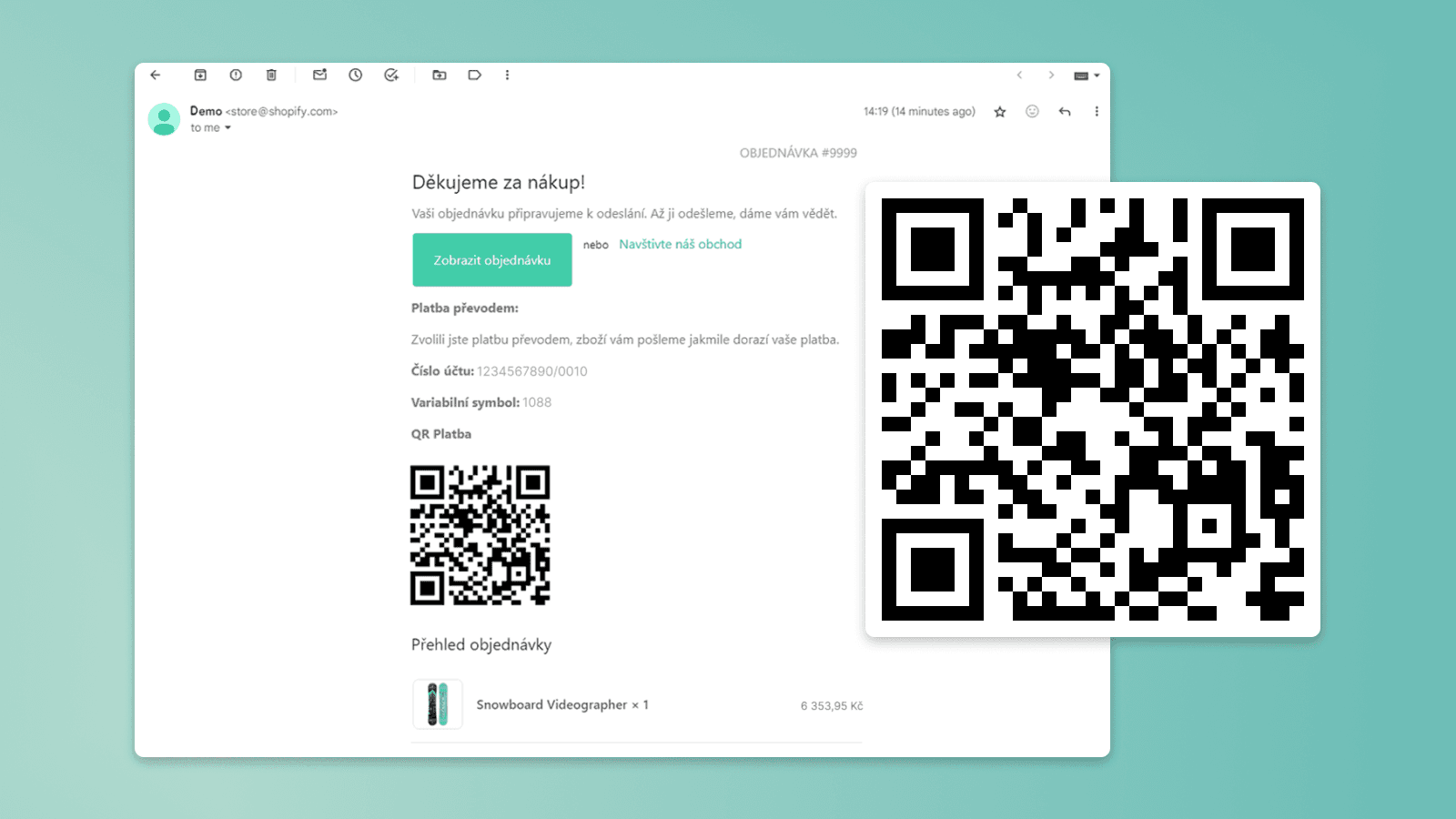
QR code in order-confirmation emails
The same scannable QR code is added to the order-confirmation email, so customers can pay later straight from their inbox. Fewer unpaid orders, fewer support questions, and no manual reminders.
Works for Czech and Slovak bank accounts
QR payments work out of the box for 🇨🇿 Czech and 🇸🇰 Slovak bank accounts (QR Platba / SPAYD). Selling in another country and need the local bank QR format? Get in touch and we'll add it.
Frequently Asked Questions
What is a QR code payment on Shopify?
Does adding QR code payments to Shopify cost anything?
Which bank accounts are supported?
Where does the QR code appear?
Are the amount and variable symbol filled in automatically?
Do customers need a special app to scan the QR code?
Do I need a developer?
Got a problem no app solves?
Tell us about it. We'll say whether it takes a setting, an app or custom development.
- 01Tell us about your storeWhat you sell, what it runs on and what slows you down.
- 02We talk it throughOn a call with the people who will build it.
- 03You get an estimateA concrete proposal and what it will cost.